FIO Handle: A Single Identifier for Multiple Coins

Depositing and withdrawing digital assets to and from WhiteBIT from external crypto wallets is a lot easier now! We have integrated the FIO Protocol to make the process more convenient for our users.
FIO Protocol (FIO) is a decentralized blockchain protocol implemented to simplify the interaction between external wallets and the exchange where you trade.
FIO handles represent a universal identifier or human-readable “wallet names”. They allow you to forget about public blockchain addresses and work with all types of coins. You can link numerous coin addresses to a single FIO handle and type it in every time you want to deposit or withdraw cryptocurrency.
You can register a FIO handle right on our exchange for free. By doing so, you will get:
- A FIO handle registered under the WhiteBIT domain.
- The ability to link wallet addresses to a FIO handle on the cryptocurrency platform.
- The possibility to untie your coin address. A new one will be automatically linked to the FIO handle created on or added to WhiteBIT.
Create a FIO handle & make deposits
1. Go to the Spot balance page, select an asset and click “Deposit”.
2. Select “Deposit using FIO request” and click “Register FIO Handle”.
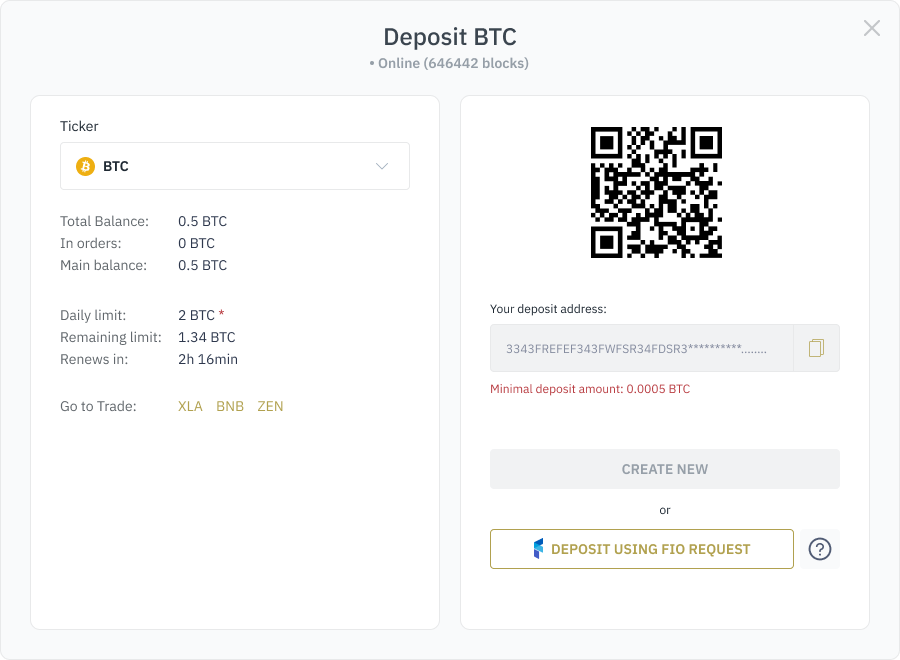
3. Type in the handle you want to have (must be from 3 to 64 characters, including letters, numbers or hyphen; there cannot be two identical addresses).
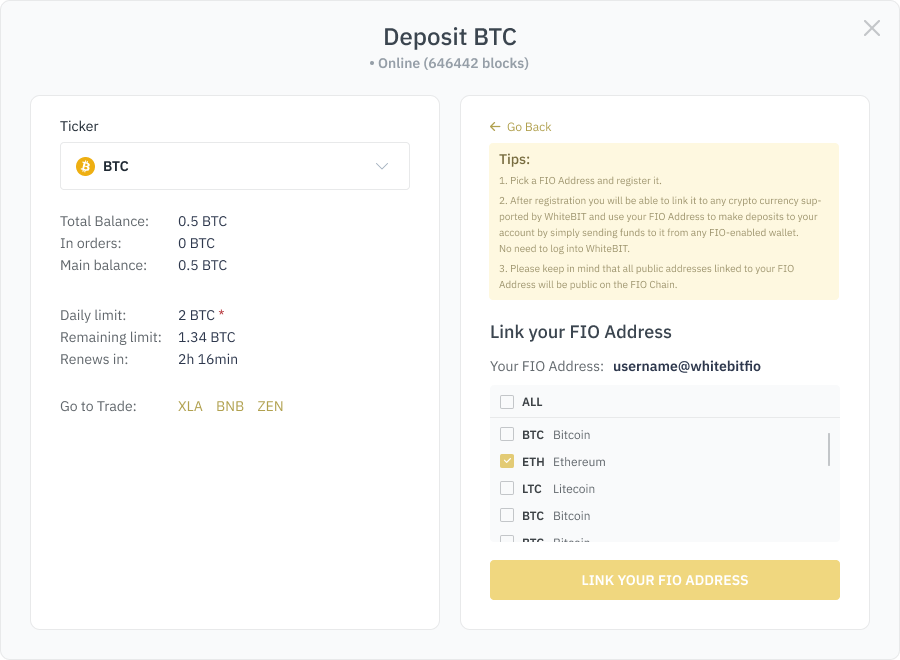
4. After creating a handle, you can connect any asset from our exchange to it. It will allow you to deposit different assets using one FIO handle. Select them in the pop-up window and click “Link your FIO Handle”.
5. Enter the FIO handle of the wallet you want to deposit from.
6. Enter the amount you want to deposit (numbers only).
7. Click “Send FIO request” and confirm it from the wallet.
Withdraw with a FIO handle
1. Go to the Balance page, select an asset and click “Withdrawal”.
2. Enter your FIO handle into the Withdrawal address field.
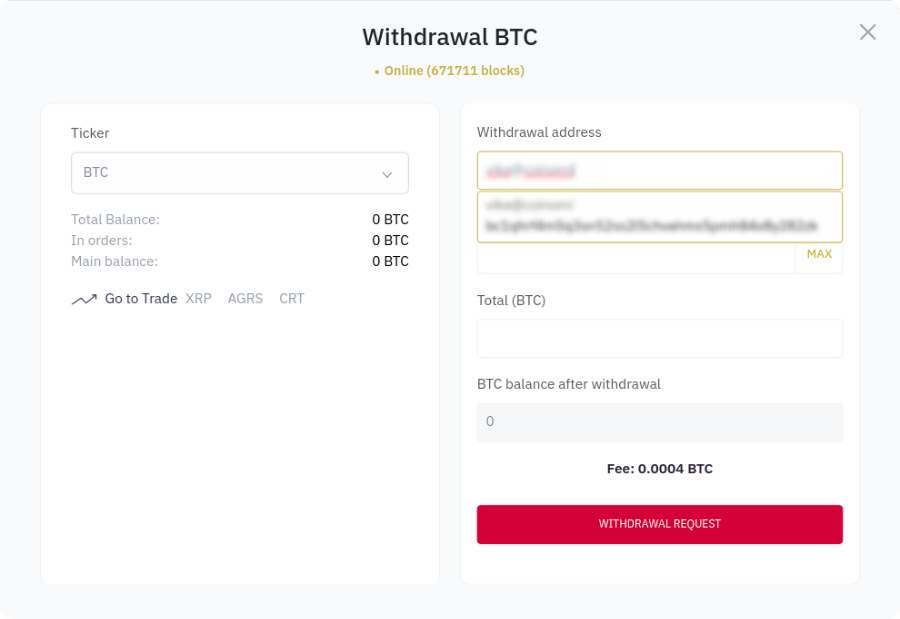
4. Enter the amount you want to withdraw.
5. Click “Withdrawal request”.
Create a FIO handle and make deposits & withdrawals in a few clicks!