All You Need to Know About WhiteBIT “Convert”. How to Use a Crypto Converter?

Key Points Beginner’s Guide
- The “Convert” function allows the exchange of all digital and fiat currencies featured on the WhiteBIT.
- By choosing any asset, you can see the equivalent amount of the asset in USDT.
- The exchange rate is fixed for 10 seconds at the asset’s current market price, after which it can be updated.
What is cryptocurrency conversion? Many cryptocurrency exchange options exist, such as cryptocurrency exchanges to P2P platforms and specialized exchangers, etc. Most exchange methods require users to have expertise while paying high fees and using a limited list of cryptocurrencies. Our exchange allows you to exchange cryptocurrency quickly and safely using the convenient “Convert” service.
Special Functions of WhiteBIT “Convert” How to Convert Crypto?
All cryptocurrencies, state currencies, and stablecoins presented on the exchange can be converted in one place. Moreover, the function is available even for assets not represented in pairs on our exchange. During the exchange, the rate is fixed for 10 seconds, after which it can be updated.
All current fees can be found on the corresponding page.
How to Exchange Assets with “Convert”?
To use WhiteBIT’s crypto converter:

- Sign up on the WhiteBIT and confirm your identity (KYC) or log in if you already have a verified account. In the “Trade” section, open the “Convert”;
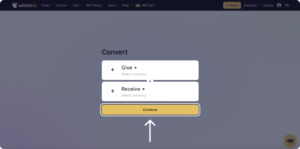
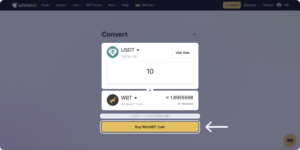
- Choose the asset you want to “Give” and the asset you want to “Receive”– for example, Bitcoin or WBT. You can exchange any asset for any other one available on WhiteBIT. This function uses the current exchange rate with no hidden fees;
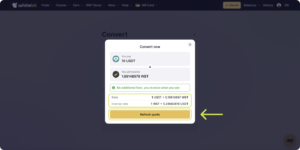
- Enter the required amount for the asset exchange. The amount you will receive and give will also be displayed in USDT equivalent for your convenience. The system fixes the rate every 10 seconds, after which you need to update the results by clicking the button. During the countdown, you will see the current rate. Click on the “Accept” button to finish the operation;
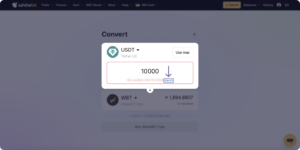
- If you do not have enough assets to exchange, click on the “Deposit” button, and after topping up the balance, return to the “Convert” page;
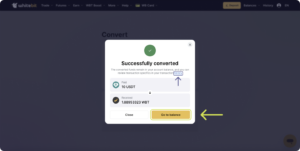
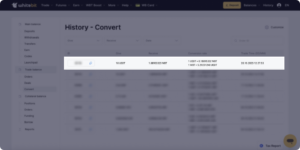
- Having converted the assets, you can proceed to your balance by clicking the “Deposit” button. The information about previous transactions can be found in the “History” – “Transfers”.
The “Convert” tool will be helpful both for beginners because it does not require experience in trading cryptocurrencies and working with a trading terminal, and for experienced traders who need to exchange assets to apply trading strategies effectively and quickly.
Convert any assets in seconds and set a new level of trading experience with WhiteBIT products!