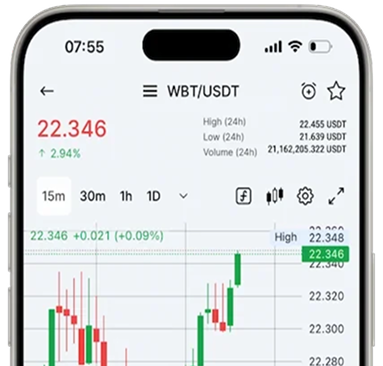
Get Notified of Price Changes Both in the App and on the Web Version of the Exchange
Have you already set up price change notifications in your WhiteBIT app? It’s an incredibly valuable feature that enables you to react promptly to price fluctuations of your chosen assets. We’re excited to share that you can now receive these notifications in the web version of the platform too!
You can set up a trigger notification for a particular asset and get notified as soon as its price reaches the level you set.
What types of price alerts are there?
- Price Reached. The price has reached the user-defined growth or decline indicator;
- Lower Than. The price has fallen to the user-defined level;
- Greater Than. The price has risen to the user-defined level;
- Decrease by % in 24h. The price has dropped by the percentage specified by the user;
- Increase by % in 24h. The price has increased by the percentage specified by the user.
In addition, the alert feature allows you to adjust their frequency in several options:
- Once Only. A notification that triggers once and then disappears from the active list;
- Once a Day. A notification that triggers once a day based on the specified alert conditions. It works for 90 days;
- Always. This type of notification triggers every time the specified alert conditions are met. It also works for 90 days.
Read the article to learn how to set up price alerts in the app.
Features of Price Alerts in the Web Version
Although the entire functionality of price alerts on the web version does not differ from the application, let’s talk about the features you should know about:
- You can configure price alerts in the “Trade” section. Choose the desired pair, click the alarm clock sign, and “Add notification.”
- In the web version, price change notifications look the same as system notifications — in the upper-right corner.
- The notifications you set up in the web version can also be received in the app, so you don’t have to set them up twice.
- If you’re signed in to your macOS account but close the window, you’ll still be able to receive notifications because your session is still active.
- The maximum number of notifications for all pairs is 50.
Now, it’s even more convenient to track your favorite pairs, whether it’s from your phone or desktop. Give it a try and stay updated on market dynamics!