Beginners Guide on How to Use WhiteBIT Crypto Exchange

Cryptocurrency trading might seem daunting at first, but with WhiteBIT, it doesn’t have to be. In this article, we’ll walk you through how simple and secure it is to start trading on Europe’s largest crypto exchange by traffic. This cryptocurrency for beginners guide will cover everything from signing up and funding your account to buying, exchanging cryptocurrency, and securing your account from potential threats. Learn about crypto with WhiteBIT!

Trade cryptocurrency on WhiteBIT
How to Create an Account?
Let’s start the WhiteBIT cryptocurrency trading guide with the registration process. You can sign up on the WhiteBIT exchange via the mobile app or the web version, whichever is more convenient for you.
How to Register via the Web Version?
1. Go to the link: https://whitebit.com/auth/register, or click “Get Started” in the upper right corner of the site;

2. Click “Sign Up“;

3. In the pop-up window, enter your email and password. Optionally, you can provide a referral or affiliate code.
*You can also register using the “Continue with Google” or “Continue with Apple” buttons.
How to Sign Up via the Mobile App?
- On the app’s homepage, tap the “Sign Up / Log In” button;

- You can register using Apple, Google, or your email. Select the preferred method from the options and enter the necessary information.

To access all products and features of the exchange, make sure to complete the KYC process after registration. Simply provide your country, full name, place of birth and residence, upload a proof of identity, take a selfie, and wait for the verification results.

How to Deposit via the Web Version?
You can top up your balance using both cryptocurrency and fiat currency. Simply click the yellow “Deposit” button in the top menu or on the banner on the Home page. Then, select the desired asset and deposit method.


The available replenishment methods depend on the selected asset, with different networks and payment providers offered for each asset.
How to Top Up My Account via the Mobile App?
You can top up your balance in the mobile app by tapping the “Deposit” button on the Home page or selecting “Deposit” in the “Wallet” section.


How to Buy Cryptocurrency on WhiteBIT?
The basics of cryptocurrency trading on the WhiteBIT exchange include two ways to buy cryptocurrency: through the trading terminal (spot trading) and using a converter.
Spot trading
- Before placing an order to buy cryptocurrency, you need to transfer the asset from your Main Balance to your Trade Balance.

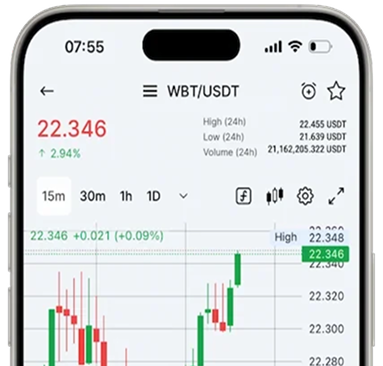
- Then open the spot trading section and find the desired pair, e.g. WBT/USDT;

- Select the desired order type and click on the green “Buy WBT” button.

Spot trading on WhiteBIT. How to open an order to buy or sell?
How to Protect an Account?
To keep your account secure, it is important to not only use a strong password, link your email and phone number, but also activate additional layers of security. For maximum protection against unauthorized access, WhiteBIT offers Passkey and two-factor authentication (2FA). These measures greatly increase the security of your data and funds.

Converter
The exchange provides a tool for swapping cryptocurrencies, fiat currencies, and stablecoins, even if these assets do not have trading pairs. The exchange rate is fixed for 10 seconds, after which it can be refreshed.
How to exchange?
- Choose the asset you want to give away (for example, USDT);
- Choose the cryptocurrency you want to receive (e.g. WBT);
- Enter the amount and click the “Continue” button.


All You Need to Know About WhiteBIT “Convert”. How to Use a Crypto Converter?
Read the articleСustomer Support
One of the platform’s key advantages is its support service, which operates 24/7 and is always ready to assist with any inquiries. You can reach out to the call center, create a ticket, or get help via chat. The team responds quickly to requests, and communication is with real people in multiple languages, making the process convenient and accessible at all times.
To create a ticket, click on the question mark in the top right corner of the menu. In the window that opens, click the “Create Ticket” button.

Trade Cryptocurrency on WhiteBIT
Conclusion
In this crypto for beginners guide, you’ve learned the cryptocurrency basics steps for using the WhiteBIT crypto exchange. Now that you understand how to register, fund your account, buy and exchange cryptocurrencies, and protect your account, you’re ready to start trading with confidence. By following these steps, you’ll be able to navigate the platform effectively and minimize the risks associated with cryptocurrency trading.